

I recently sat in on a design review for a client’s new SaaS product dashboard. The page showed users their scan results at the top, then a long scrollable list of flagged accounts, then supplementary data cards, then charts, and finally the call to action. The first CTA lived below four full viewport scrolls of content.
Here is what I watched happen: Users landed. They saw their results. They started scrolling through the list. They kept scrolling. They clicked on things that weren't clickable. They spiraled through content with no idea what to do next. Then they left.
The user received value (they can see their data) but has zero directional cue telling them the next logical action. The page assumes visitors will patiently scroll past everything to discover the conversion opportunity at the bottom.
They won't. Every second spent in that aimless scroll is a second closer to closing the tab.
The Viewport Math: What "Above the Fold" Actually Means in 2026
"Above the fold" is not an abstract concept. It is a measurable line on a screen, and that line is shorter than most designers think.
On a 14-inch laptop (A typical choice for most B2B buyers on a corporate device), the visible viewport is limited. Once you account for a browser’s tabs, bookmarks bars, and sticky navigation, the amount of usable space shrinks even more.
On a 16-inch MacBook Pro, you get more room, but not dramatically more. On mobile, the fold tightens significantly.
Here is what that means in practice:
- Your hero section occupies most (typically all) of the visible space upon the initial page load
- Your navigation takes a meaningful portion of the vertical real estate
- What remains is often just enough for a short line of text and a button
- Not much room for anything else before the fold
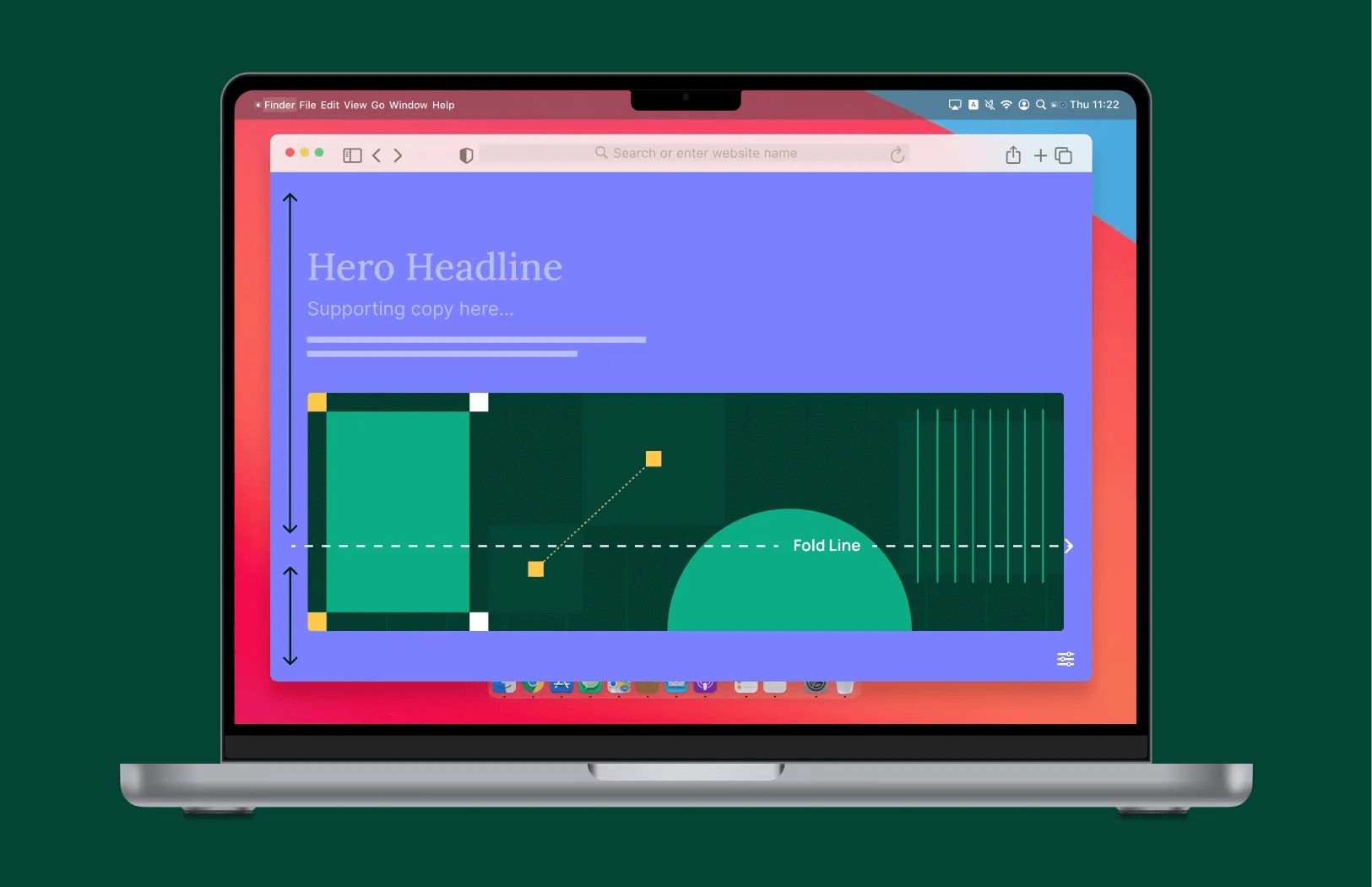
If your above-the-fold space contains a headline, a subheadline, and a hero image with nothing else, you have made a deliberate design decision to hide every conversion opportunity behind a scroll. That scroll may never happen.
The YouTube Parallel: What Retention Tactics Teach Us About Web Engagement
This might seem like a stretch, but the data supports it.
The highest-performing YouTube channels have figured out something most B2B web designers haven't: the first five seconds determine everything. Creators like MrBeast edit at one or more cuts per second in their opening sequences. Constant visual change. New angles, new text, new motion. The viewer's brain is running a stay-or-leave calculation, and every fraction of a second without a reason to stay is an opportunity to click away.
Web pages operate on the same principle, just on a slightly longer timeline. A user lands on your page and their brain runs the same calculation:
- Is this worth my time?
- Do I know what to do here?
- Should I stay or leave?
YouTube creators obsess over this decision window. Many B2B web teams don't even acknowledge it exists. They design gorgeous pages with the conversion logic buried three scrolls deep, as if the user arrived with infinite patience and a personal commitment to exploring every section.
They didn't. They showed up distracted, skeptical, and one tab-close away from gone.
Fixing It: CTA Placement, Quantity, and the Next Logical Step
I’m are not arguing for cramming your entire page into the first viewport. That creates visual overload that signals desperation instead of clarity. The fix is more disciplined than that.
Here is what we recommend after restructuring dozens of B2B product and marketing pages:
At Least One CTA Above the Fold. Always.
This is non-negotiable. On every key page (homepage, product pages, dashboards, landing pages), there must be at least one clear action a user can take without scrolling. Two CTAs above the fold is common on high-performing B2B sites: one primary ("Book a consultation"), one secondary ("See pricing" or "Learn more").
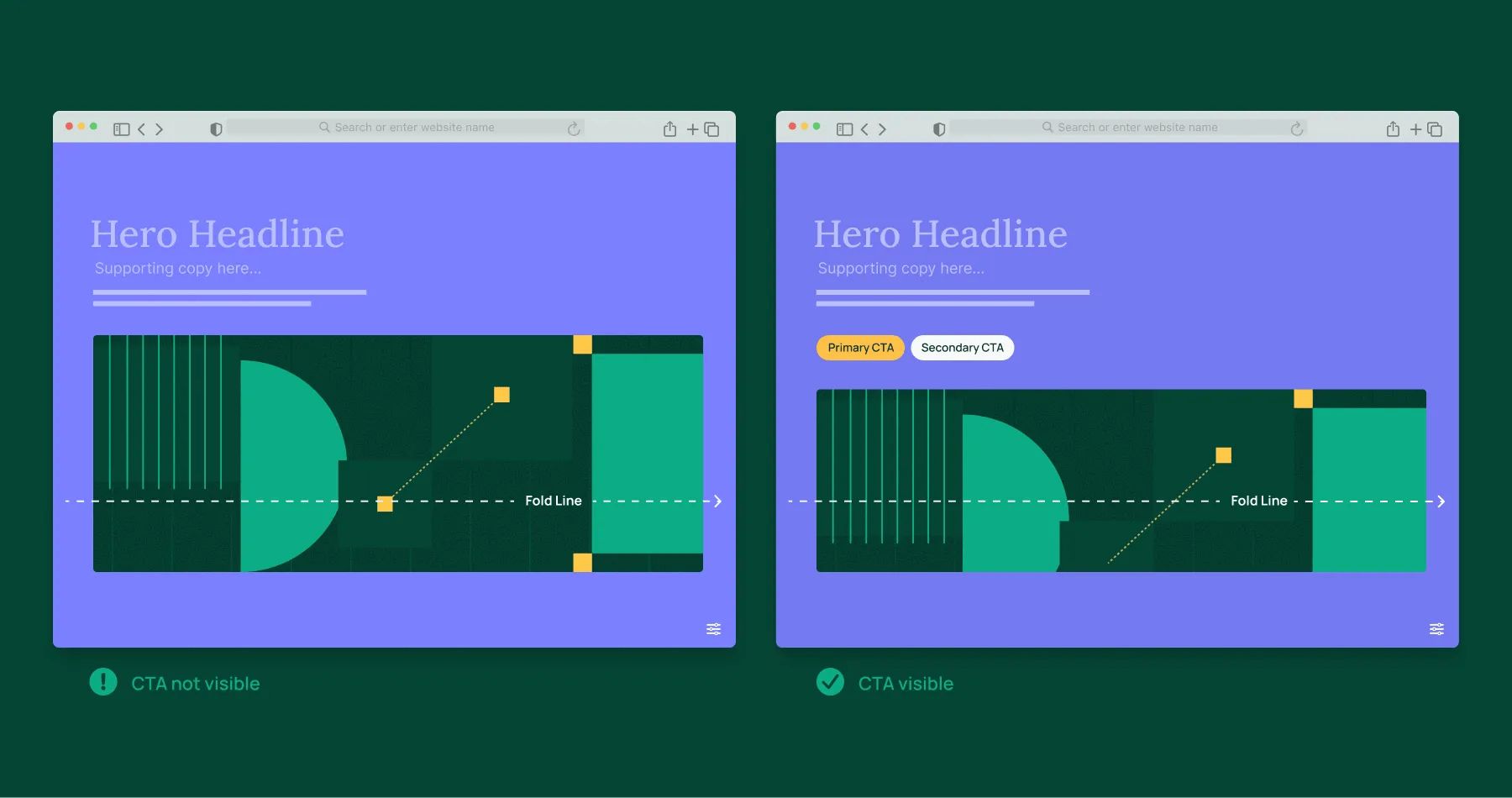
A Second CTA at the Natural Scroll Break
If your page includes a scrollable list, a data table, or any content block users will browse through, place another CTA where that content ends and the next section begins. This catches users who engaged with the content but are about to disengage.
CTAs Should Navigate to the Next Logical Page or Action
When a user clicks a CTA above the fold, where should it take them?
My position: to the next logical and tailored page or action in the sequence. Each CTA should move the user forward in their decision-making journey by taking them to the next content specifically designed for their current context and intent.
This means the destination should be tailored to what the user just experienced. If they clicked from a feature overview, take them to a detailed feature page or a demo request form. If they clicked after viewing scan results, take them to a page that explains how to act on those results or upgrade their analysis.
The goal is to eliminate friction and maintain momentum. Every click should feel like a natural progression, not a generic redirect to a one-size-fits-all landing page.
Match the CTA to the User's Current Intent
Not every CTA should say "Buy Now." If the user just received free value (a scan, a report, a demo), the CTA should acknowledge that and offer the logical next step. "Found something useful? Here's how to act on it" converts better than a generic upsell when the user is still in discovery mode.
Real Before/After: How Restructuring a Single Dashboard Page Changed User Behavior
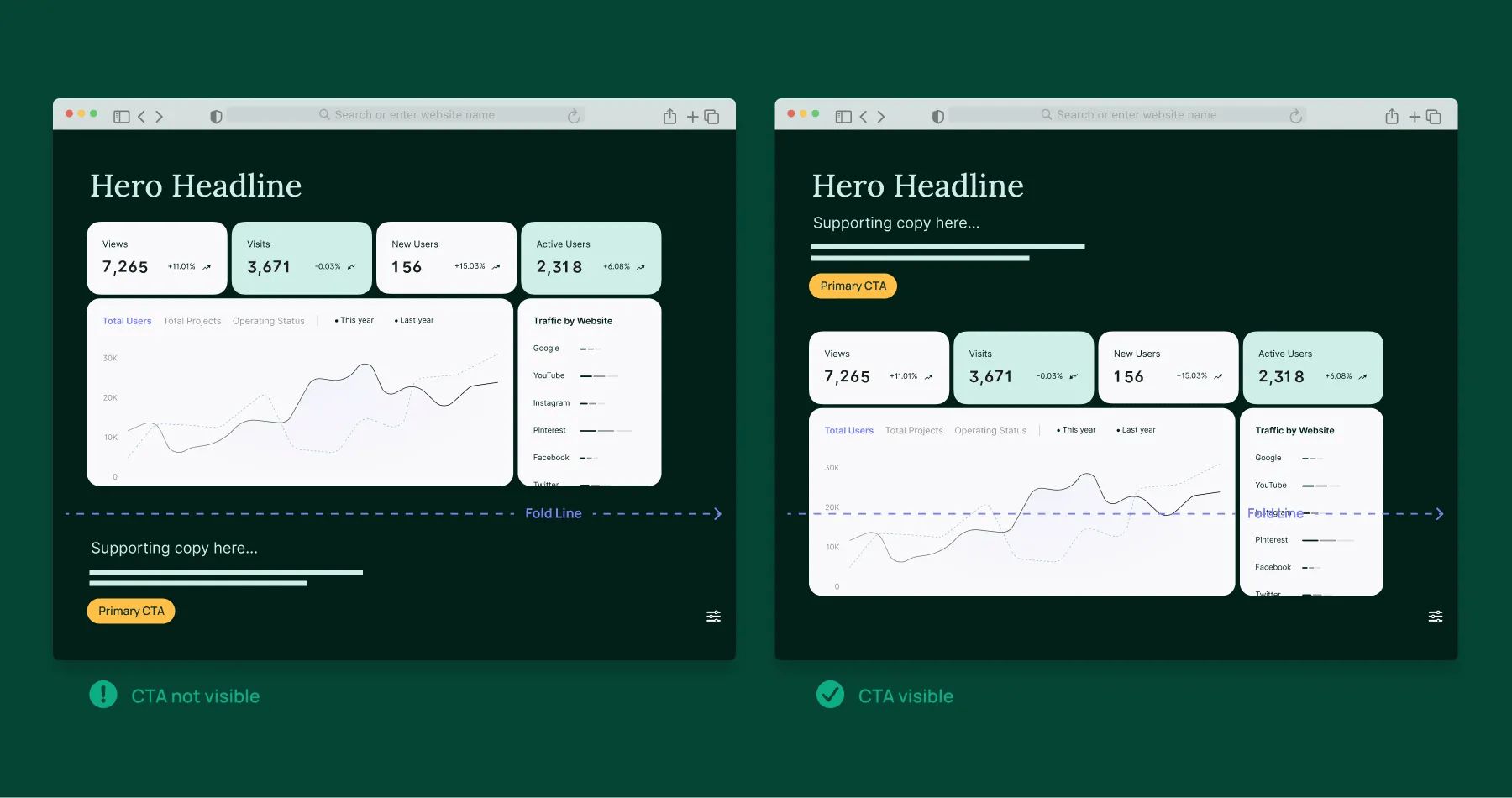
I recently reviewed a client’s new SaaS dashboard that followed a pattern I see constantly: results at the top, a long scrollable list in the middle, supplementary visualizations below that, and conversion CTAs at the very bottom.
The problem was immediate. Users scrolled through the results list, got lost in the data, and never reached the section explaining what they could actually do next. The page had compelling data. It had a clear paid offering. But the architecture buried the action behind a wall of content.
Here is what our team suggested they do:
- Add a primary CTA directly above the scrollable results list. Two options: one for the free action that captures user info and one for the paid upgrade. Both visible before the user starts scrolling through data.
- Add a secondary CTA at the bottom of the results list. Same messaging, same options. Catches users who scroll the full list and are ready to act.
- Collapse supplementary content into expandable sections. Content that consumed three full viewports should get reduced to a single expandable link. Users who wanted the detail could access it. Users who didn't are no longer forced to scroll past it.
- Replace scroll-to behavior with a direct link to a paid checkout. When users clicked the top CTA, instead of being scrolled past all the content to the pricing section, they are taken directly to the checkout page No visual detours. No distraction opportunities.
The conversion path went from requiring four full viewport scrolls to being accessible in zero scrolls. Same content. Same value proposition. Same design. The only thing that changed was where the user encountered their next action.
The Principle Behind All of This
Above-the-fold discipline is not a design trend or a layout preference. It is a direct response to how people actually behave on websites.
Users don't read pages top to bottom. They land, they scan, they make a decision. If that decision window closes before they encounter a clear next action, they are gone. No amount of beautiful design further down the page will recover them.
We build marketing-first websites and CMS architectures specifically to solve this problem. Every page template, every component system we deploy is designed so your marketing team can control CTA placement, test positioning, and optimize conversion paths.
I believe that the fold is not a suggestion. It is the line between keeping a visitor and losing one.
This article was first published on LinkedIn.

